Gone means gone. Until you want it back.
Purge Uninstaller runs the app’s own uninstaller, then finds what it left behind, shows you every piece and keeps a way back.
Finds what’s left
Folders, registry keys, shortcuts, services and startup entries the app left.
Shows before it removes
Every leftover with its place and size. Anything unsure comes unticked.
Puts it back
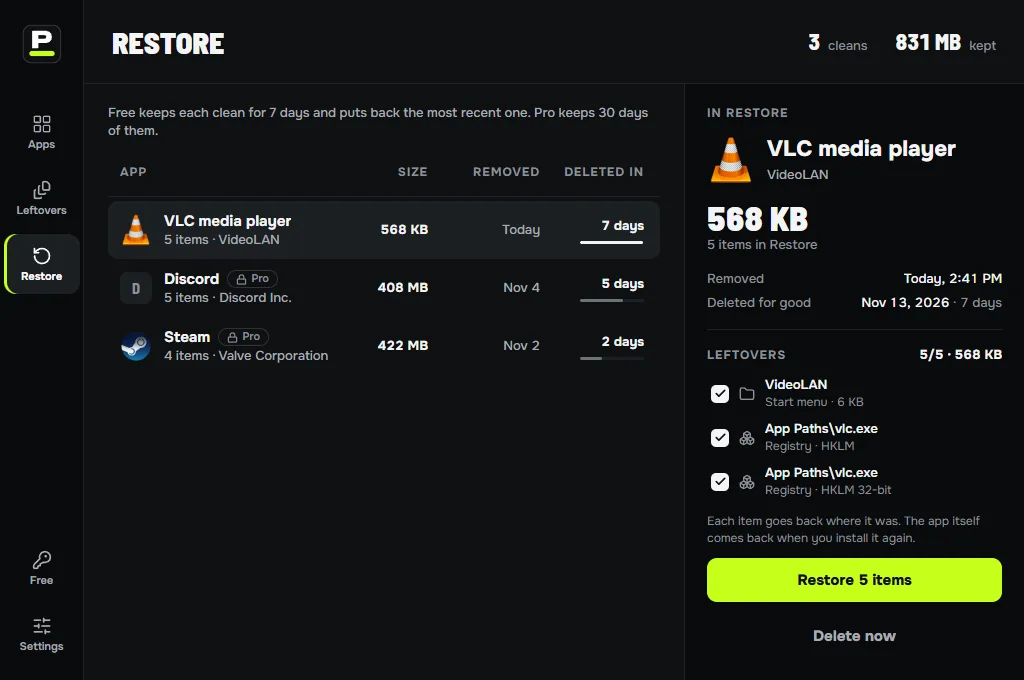
What you remove goes to Restore first. One click brings it back.
Many apps at once
Tick several apps and remove them in one queue.
Broken uninstallers
Force uninstall removes a program whose uninstaller is missing or fails.
Apps already gone
The leftover hunt finds what earlier uninstalls left behind.
From the right-click menu
Right-click a shortcut and choose Uninstall with Purge.
Shared folders stay
Folders many apps share are never offered.
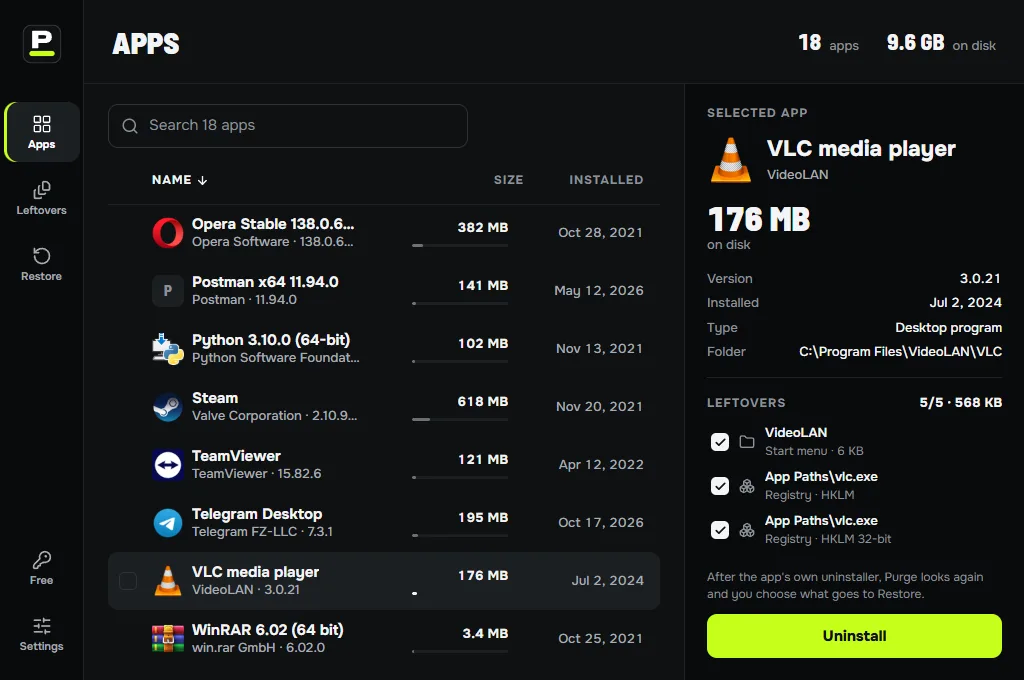
Every app, with its real size.
The list opens with the apps you have installed, from the usual installers and the store, with their size, publisher and install date. Sort by name, size or install date, or type to find one.
Windows: desktop apps, MSI packages and Microsoft Store apps, including the removable ones that came with the PC.
Mac: the apps in Applications and in your own Applications folder.
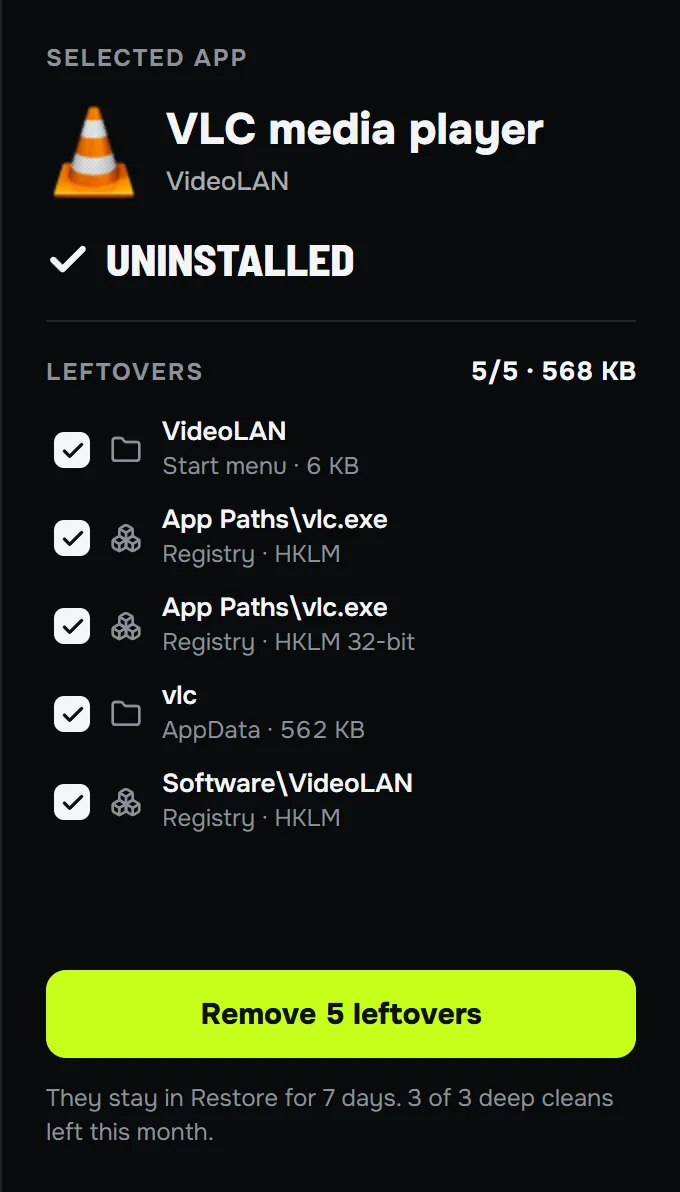
It looks where apps hide.
After the app’s own uninstaller has run, Purge Uninstaller scans for what it left and scores each match. Only the clear ones are ticked for you.
On Windows
- Program Files, ProgramData and AppData folders
- Start menu and desktop shortcuts
- Registry: the app’s Software keys, uninstall entries, App Paths, Run entries
- Services, link handlers and right-click menu entries
On Mac
- Application Support, Caches and Preferences
- Containers and Group Containers
- LaunchAgents, LaunchDaemons and privileged helpers
- Installer receipts
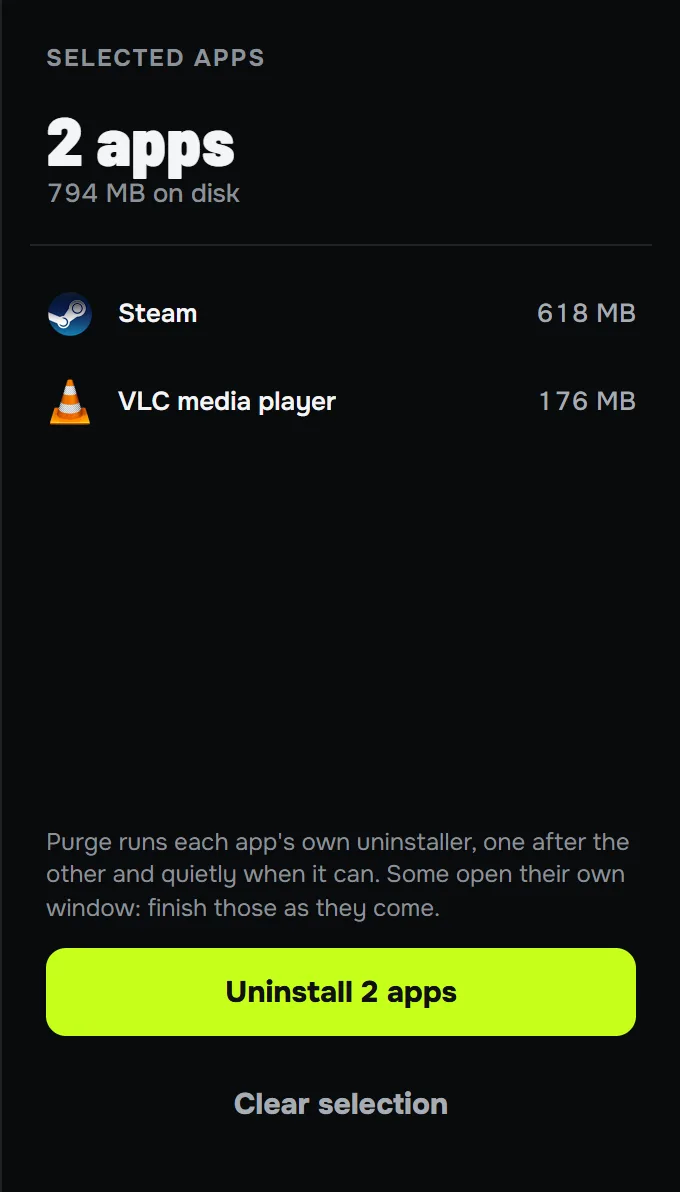
Batch uninstall
Tick several apps and remove them in one queue. Where the installer supports it, they go quietly, without a wizard for each.
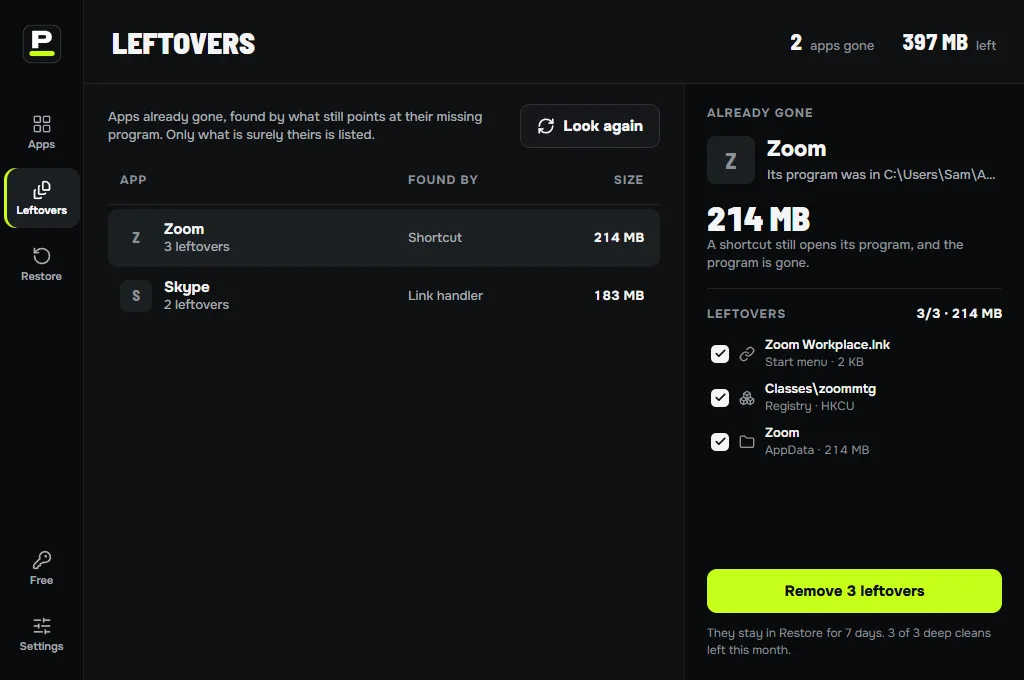
Leftover hunt
Finds folders and keys left by apps you removed before. It only lists what no installed app owns and what clearly matches a name.
A 30-day way back
Removed files move into the restore store, and registry keys are saved before they go. One click restores the lot.
Every leftover is listed with its place and size before anything is removed.
Force uninstall
On Windows, for apps whose uninstaller is broken or missing: Purge Uninstaller removes the app’s files and entries itself, with the same preview and restore.
Right-click to uninstall
On Windows, right-click a shortcut or a program and choose Uninstall with Purge.
Finder and the Trash
On Mac, right-click an app in Finder and choose Services → Uninstall with Purge, or drag it onto Purge Uninstaller. With the Trash watcher on (macOS 13 and later), drag apps to the Trash as usual: Purge Uninstaller notices and offers to clean up what they left.
Shared folders are protected
Folders many apps share, such as Microsoft’s, Adobe’s common files or Apple’s, are never offered.
Free does all of this, with limits.
Free cleans leftovers for 3 apps a month, 2 at a time, and undoes the last action. Pro removes the limits and keeps 30 days of undo, for $29 once.